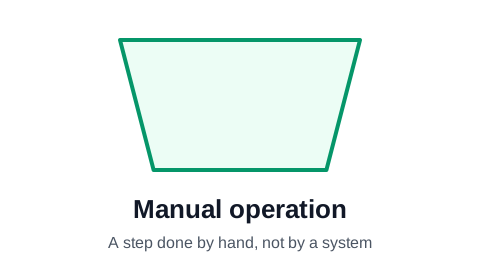
Manual operation symbol (the trapezoid)
The manual operation symbol is a trapezoid with the wide side on top. It marks a step that a person carries out by hand, without a machine or system doing the work: checking a delivery against the packing slip, signing a form, moving stock to a shelf. It separates the human work in a process from the automated work.
Make your flowchart now, no signup required
Open the editor and type your steps one per row. The flowchart draws itself as you type. Your work is saved automatically in your browser.
Create Your Flowchart FreeWhen to use manual operation
The symbol comes from charting computer systems, where it marked the steps an operator did off the machine. In business processes it is useful in one situation: when the chart is about automation, and the reader needs to see at a glance which steps a person still does by hand.
In any other chart, a rectangle reads just as well. Most readers do not know the trapezoid, so a chart full of them needs a legend.
Manual operation, manual input, process
Three shapes cover work done by people and systems:
- Process (rectangle): any task. The safe default.
- Manual operation (trapezoid): a task done by hand, with no system involved.
- Manual input (slanted top): a person typing or keying data into a system.
Manual operation in ProcessFlowchart.app
Set a row's Shape column to Manual and the trapezoid is drawn in place and connected for you. Lanes are often the clearer way to show who does a step: put the people in one lane and the system in another, and keep rectangles throughout.
Frequently asked questions
What does a trapezoid mean in a flowchart?
A manual operation: a step a person does by hand, without a machine or system doing the work.
Is the trapezoid a standard flowchart symbol?
Yes. It is part of ISO 5807 and the ANSI flowchart set. It is far less common than the rectangle, diamond and oval, so readers may not recognize it without a legend.
Should I use the manual operation symbol or lanes?
Lanes, in most business charts. A lane per role shows who does every step, including the manual ones, without a special shape. Use the trapezoid when the manual-versus-automated split is the point of the chart.
Ready to chart your first process?
The editor opens with a starter flowchart. Type your steps one per row, and the chart rebuilds itself as you type. No signup required to get started.
Create Your Flowchart Free