Manual input symbol
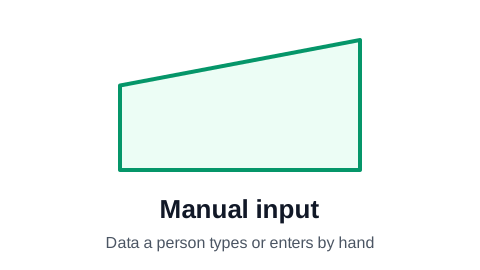
The manual input symbol is a rectangle whose top edge slopes upward from left to right, like the side view of a keyboard. It marks data that a person enters by hand: typing a customer's details, keying in a meter reading, scanning a barcode at a till. It tells the reader that a human, not a system, is the source of this information.
Make your flowchart now, no signup required
Open the editor and type your steps one per row. The flowchart draws itself as you type. Your work is saved automatically in your browser.
Create Your Flowchart FreeWhen to use manual input
Use it where it matters that a person types the data in. Manual entry is slow and error-prone, so these are the steps people want to find when they look for typos, double entry, or something to automate. "Enter the order in the ERP", "Type the serial number", "Record the temperature reading".
Name the step after the data and where it goes: "Enter the invoice total in the ledger" says more than "Data entry".
Manual input or input/output?
Both are about data. The difference is the source:
- Manual input (slanted top): a person enters the data by hand.
- Input/output (parallelogram): data arrives or leaves by any route: a file, an email, an integration.
- Document (wavy bottom): the data is a specific document.
- If you are not sure who enters it, use the parallelogram.
Manual input in ProcessFlowchart.app
Set a row's Shape column to Manual input and the slanted-top box is drawn in place and connected for you. The plain Input and Output parallelograms are in the same list.
Frequently asked questions
What does the slanted rectangle mean in a flowchart?
Manual input: data a person enters by hand, such as typing details into a form or keying in a reading.
What is the difference between manual input and manual operation?
Manual input is data a person enters into a system. Manual operation (an upside-down trapezoid) is any task done by hand rather than by a machine, data or not.
Do I need the manual input symbol in a business process flowchart?
No. A rectangle labeled "Enter the order" is perfectly clear. Use the symbol when you want manual data entry to stand out, for example in a chart meant to find steps worth automating.
Ready to chart your first process?
The editor opens with a starter flowchart. Type your steps one per row, and the chart rebuilds itself as you type. No signup required to get started.
Create Your Flowchart Free