Display symbol
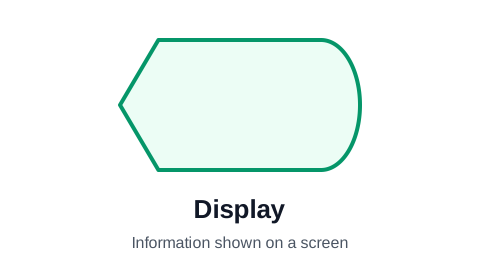
The display symbol has a pointed left side and a rounded right side, the outline of an old CRT monitor. It marks information shown to a person on a screen: an error message, a dashboard, an order confirmation page. It is a more specific kind of output, for when it matters that a person sees the result rather than receives a file or a printout.
Make your flowchart now, no signup required
Open the editor and type your steps one per row. The flowchart draws itself as you type. Your work is saved automatically in your browser.
Create Your Flowchart FreeWhen to use the display symbol
Use it where the screen is the point: user-facing flows, software processes, and anything where a person must see a message before they can act. "Show the booking confirmation", "Display the validation error", "Show the order status".
Label it with what the person sees, not the screen's name: "Show the payment declined message" says more than "Error screen".
Display or output?
Both mark information leaving the process.
- Display: shown on a screen for a person to read now.
- Output (parallelogram): any information leaving, by any route.
- Document (wavy bottom): a document, printed or electronic.
- In a business process flowchart, the parallelogram is usually enough. The display symbol is more at home in charts of software behavior.
The display symbol in ProcessFlowchart.app
Set a row's Shape column to Display and the symbol is drawn in place and connected for you.
Frequently asked questions
What does the display symbol mean in a flowchart?
Information shown to a person on a screen, such as a message, a confirmation page or a dashboard.
Why does the display symbol look like that?
It is a stylized cathode-ray tube monitor: a curved screen on one side and the tapering tube on the other. The symbol dates from early computer flowcharting.
Do I need the display symbol in a process flowchart?
Rarely. Use it for user-facing or software flows where seeing the screen matters. Otherwise the output parallelogram, or a plain rectangle, is clearer to most readers.
Ready to chart your first process?
The editor opens with a starter flowchart. Type your steps one per row, and the chart rebuilds itself as you type. No signup required to get started.
Create Your Flowchart Free