Database symbol (the flowchart cylinder)
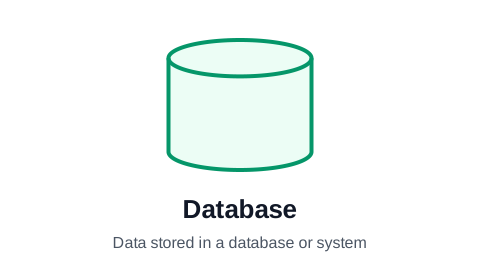
The database symbol is a cylinder, the shape of an old disk drive seen from the side. It marks data held in a database or system of record: the CRM, the ERP, the customer table. In a process flowchart it shows where information is saved and where later steps read it from. Its close relative, the stored data symbol, covers storage of any kind.
Make your flowchart now, no signup required
Open the editor and type your steps one per row. The flowchart draws itself as you type. Your work is saved automatically in your browser.
Create Your Flowchart FreeHow to use the cylinder
Label the cylinder with the system, not an action: "CRM", "Customer database", "Inventory system". The steps around it carry the verbs ("Save the order", "Look up the stock level"), and their arrows to and from the cylinder show which way the data moves.
Use it where the system matters to the reader: a process that writes to three systems, or a handoff that only works because two teams read the same record. Charts that show a database at every step become diagrams of the IT landscape rather than the process.
Database, stored data, or internal storage?
The ISO 5807 set has several storage symbols. Only two are worth knowing for business processes:
- Database (cylinder): data in a database or system of record.
- Stored data (a box with a curved left side and a curved-in right side): data kept for later, on any medium, when the kind of storage does not matter.
- Internal storage (a rectangle with lines across one corner) comes from program flowcharts: data held in a computer's memory. Business charts rarely need it.
Databases in ProcessFlowchart.app
The cylinder is the Registry shape in the Shape column (the system of record), and Stored data is listed beside it. Set the row's shape and connect the steps that read or write it with the Line To column.
Frequently asked questions
What does a cylinder mean in a flowchart?
A database: data stored in a database or system of record. Arrows to it mean data is saved; arrows from it mean data is read.
What is the stored data symbol?
A box with a curved left side and a right side that curves inward. It means data stored for later use, on any medium, when it does not matter whether that is a database, a file or a spreadsheet.
Should a database be a step in the process?
No, it is a place, not an action. Label it with the system's name and let the steps around it say what happens to the data.
Ready to chart your first process?
The editor opens with a starter flowchart. Type your steps one per row, and the chart rebuilds itself as you type. No signup required to get started.
Create Your Flowchart Free