Flow line symbol (the flowchart arrow)
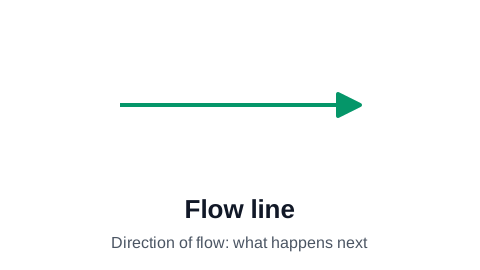
The flow line is the arrow that connects one flowchart symbol to the next. It shows the order of the process: the arrowhead points at what happens next. It is the one symbol every flowchart has, and the one most often drawn carelessly: missing arrowheads, unlabeled branches, and lines that cross the whole chart.
Make your flowchart now, no signup required
Open the editor and type your steps one per row. The flowchart draws itself as you type. Your work is saved automatically in your browser.
Create Your Flowchart FreeWhat the arrow tells the reader
A flow line says one thing: after this, that. It does not say how long the gap is, who does the next step, or what is handed over. Those belong in the shapes and their labels, or in lanes when the chart has roles.
Because direction is the whole meaning, every flow line needs an arrowhead. A plain line between two boxes forces the reader to guess the order from the layout, and a chart that loops back makes that guess wrong.
Rules for clean flow lines
Most hard-to-read flowcharts are hard to read because of their lines, not their shapes. Four habits fix nearly all of it:
- Keep the main path running one way, top to bottom or left to right, so a line going backwards visibly means a loop.
- Label every arrow that leaves a decision with its answer (Yes, No, Approved, Rejected).
- Avoid crossings. Rearrange the steps first; use a connector symbol only when a line would otherwise cross half the chart.
- One arrow into a step is clearest. When several paths meet, let them join before the step rather than all landing on it from different sides.
Flow lines in ProcessFlowchart.app
You never draw an arrow by hand. Each row has a Line To column holding the step numbers it connects to, and the editor routes every flow line around the boxes for you, arrowhead included. Decision branches get their labels from the Line Text column, and lines can be colored or dashed to separate the main path from exceptions.
Frequently asked questions
What do the arrows mean in a flowchart?
They show the order of the process. The step at the arrowhead happens after the step at the tail. Arrows leaving a decision are labeled with the answer each one stands for.
Is the flow line a flowchart symbol?
Yes. ISO 5807 lists the flow line as a symbol in its own right, alongside the process rectangle and the decision diamond. It is the only symbol every flowchart uses.
Can flowchart arrows go backwards?
Yes, for a loop: "Rejected" going back to "Revise the draft" is a normal flowchart pattern. Keep the main path running one way so a backward arrow is easy to spot as a loop.
What does a dashed line mean in a flowchart?
Standard flowcharts give a dashed line no fixed meaning. Teams often use it for an optional path, an information flow or an annotation. If you use one, say what it means in a short legend.
Ready to chart your first process?
The editor opens with a starter flowchart. Type your steps one per row, and the chart rebuilds itself as you type. No signup required to get started.
Create Your Flowchart Free